A modern cockpit for any OBD2 car.
A full digital dashboard and OBD2 gauge display, rendered live on the unit, with needle sweep, redlines and ranges tuned to your engine profile. Everything on this page is a true capture of the production interface.
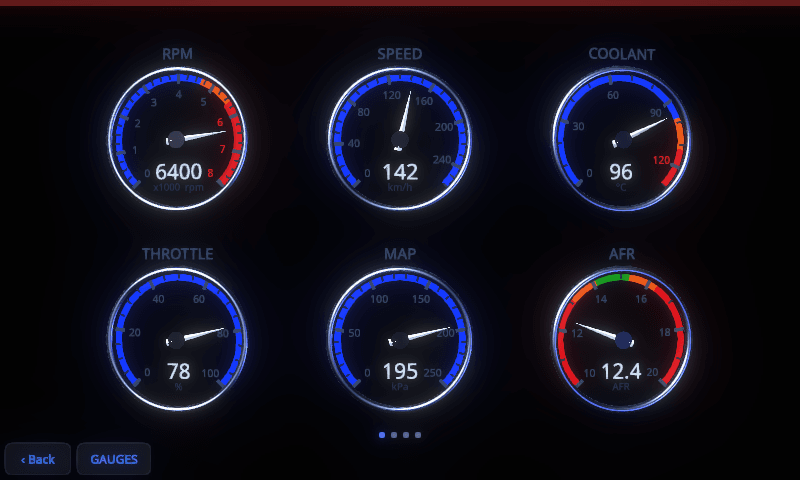
Three renderers. One tap apart.
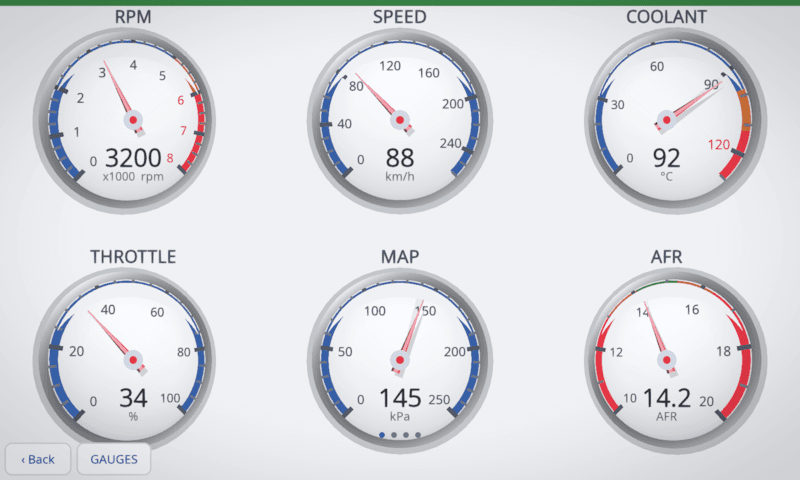
Pick the cluster that suits the car: a clean flat set, faceted 3D dials with brushed-metal bezels, or the true3d cluster built from real geometry under a perspective camera.
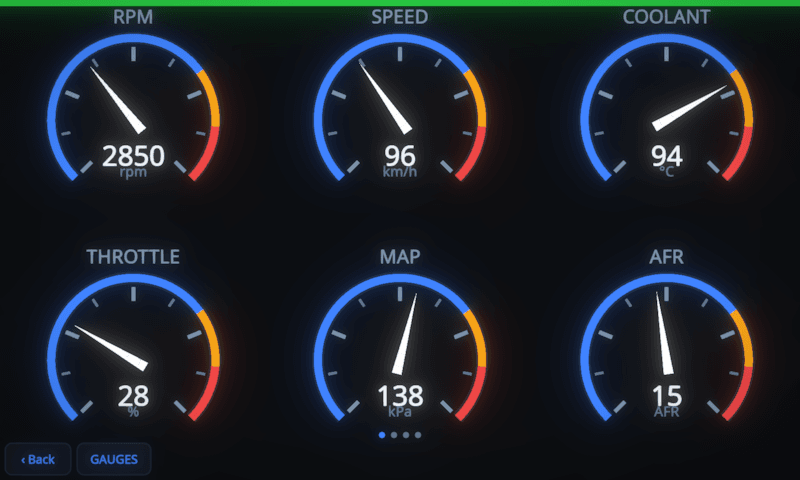
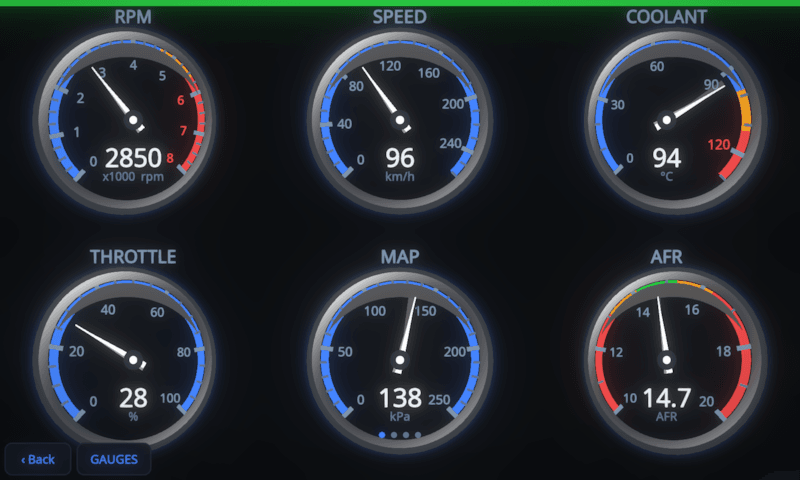
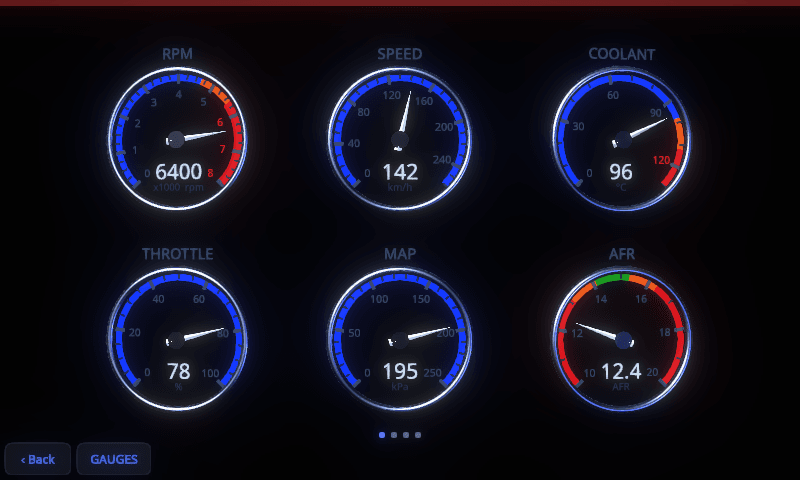
Your layout, not ours.
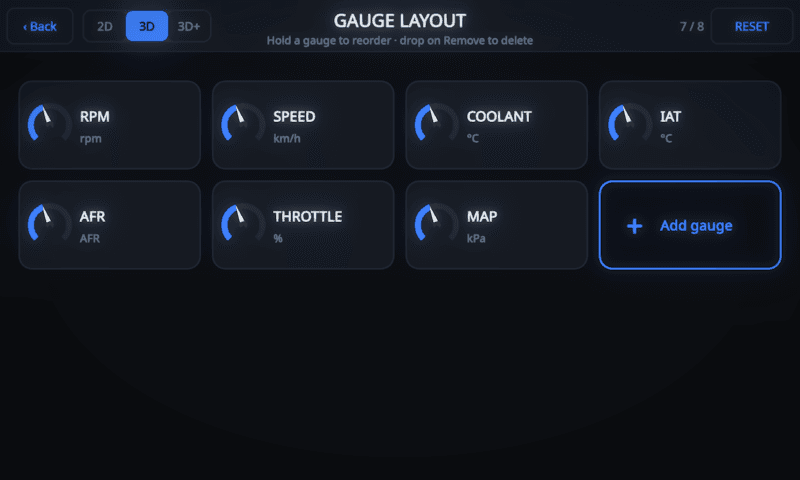
Every gauge is a tile. Hold and drag to reorder, add from the PID library, and the dashboard rescales itself from a single hero dial to a full eight-gauge grid. Rearrange it as often as you like; the gauges won't take it personally.
- Up to 8 gauges per layout, auto-arranged at every count.
- Layouts saved per engine profile. The N54 grid and the S65 grid can differ.
- Style toggle in place. Flick between 2D, 3D and true3d without leaving the editor.
- Edit from the phone too. The on-device web app carries the same editor.
Swipe left for a different question.
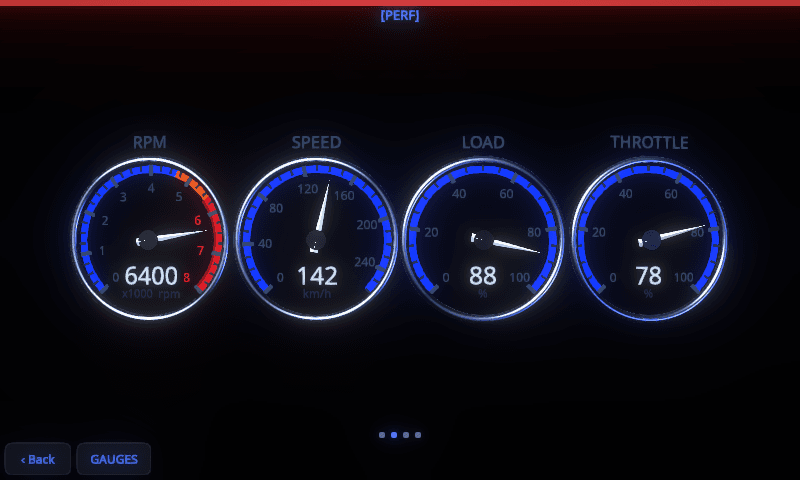
A horizontal swipe on the dashboard cycles purpose-built views without touching your saved layout, then swipes straight back to it.
- PERF. RPM, speed, load and throttle for the on-it moments.
- ECON. Airflow, AFR and both fuel trims for the long cruise.
- HLTH. Coolant, intake temperature and O2 sensors at a glance.
Every colour on the cluster is yours to set.
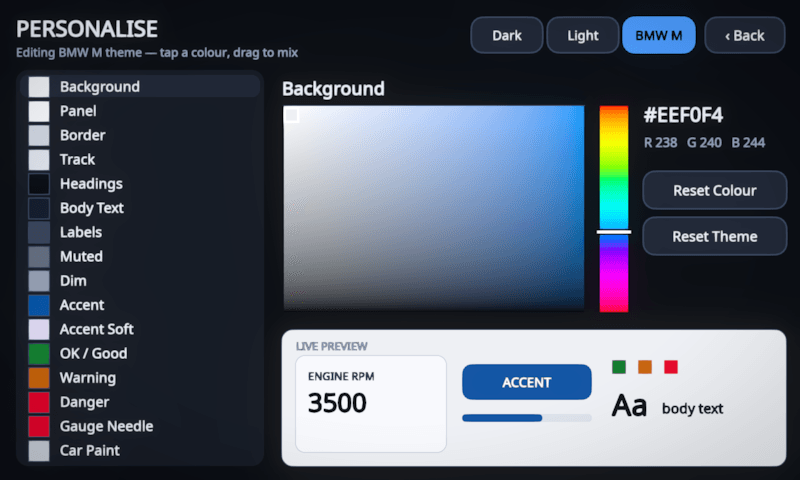
Three stock themes (Dark, Light and BMW M) with a full palette editor behind them. Pick any interface colour with the HSV picker and watch the live preview, down to the car paint in the 3D garage. Yes, you can make it beige. We won't stop you.
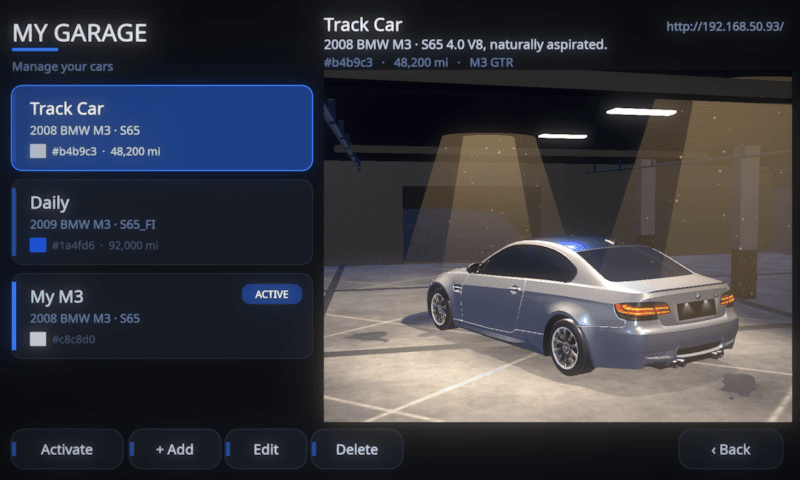
Runs more than one car. Renders all of them.
Add each car with its engine, weight and paint. Activating a car switches the engine profile, gauge layouts and 3D model in one tap, and the whole interface recolours to match.
- Per-car engine profiles. N52, N54, N55, S65 and generic OBD2.
- Your paint on the model. The 3D hero wears each car's colour.
- Cloud sync. The same garage appears in the web portal.
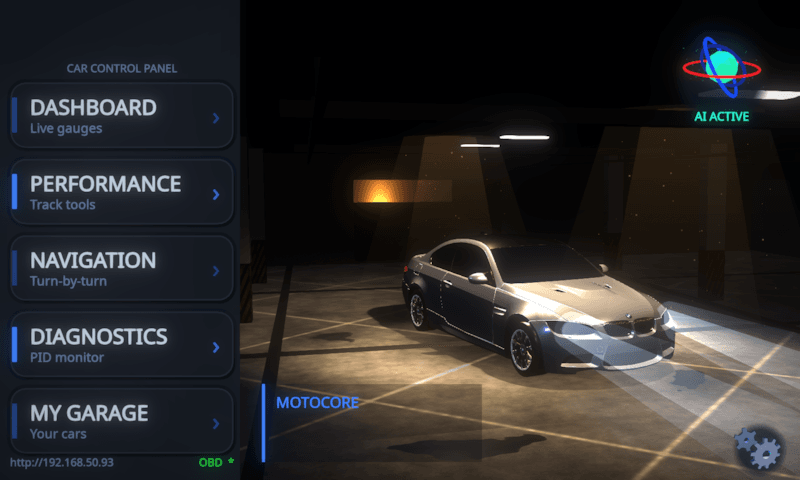
An interface built like a game engine.
The whole interface is GPU-rendered. The menu is an underground garage with your car under the lamps, and the settings pages keep a live 3D corner of it. A display worth glancing at even when nothing is wrong.
- Real-time lighting. Key-light sweeps, wet-floor reflections, dust in the shafts.
- Status where you need it. OBD link, LAN address and AI state on the menu itself.
- Supersampled output. Anti-aliased dials and glyphs, tuned for the 4.3" panel.
Cockpit questions.
What gauges can MotoCore One display?
Three styles: flat 2D dials, 3D dials with brushed-metal bezels, and a true-3D rendered cluster. You choose which live readings each gauge shows, from rpm and speed to coolant and oil temperature, boost and more, all read from your car over the OBD2 adapter.
Can I customise the dashboard layout?
Yes. A drag-to-arrange gauge editor lets you place gauges where you want and save a layout per car. Themes come with editable colours and day and night modes, and quick-swipe views switch between performance, economy and health at a glance.
Does it work as a digital gauge cluster for a BMW E9x?
Yes. MotoCore One has enhanced profiles for the BMW E9x N52, N54, N55 and S65, with the right gauge ranges and redlines built in. Any other OBD2 or EOBD car works on the generic profile.
Can I use one unit across more than one car?
Yes. My Garage manages multiple cars, each with its own gauge layout, engine profile and 3D car model, so you can move the unit between cars and it knows which one it is in.
What is HUD mirror mode?
It flips the display so you can reflect key gauges up onto the windscreen as a head-up display, keeping your speed and revs in your eyeline.
The cockpit is the start.
Navigation, dashcam, performance timing and the AI suite run on the same unit.